 ESP32
ESP32 ESP32-C3引脚图速查:GPIO/串口/ADC对照表(2026实战版)
ESP32 C3简介
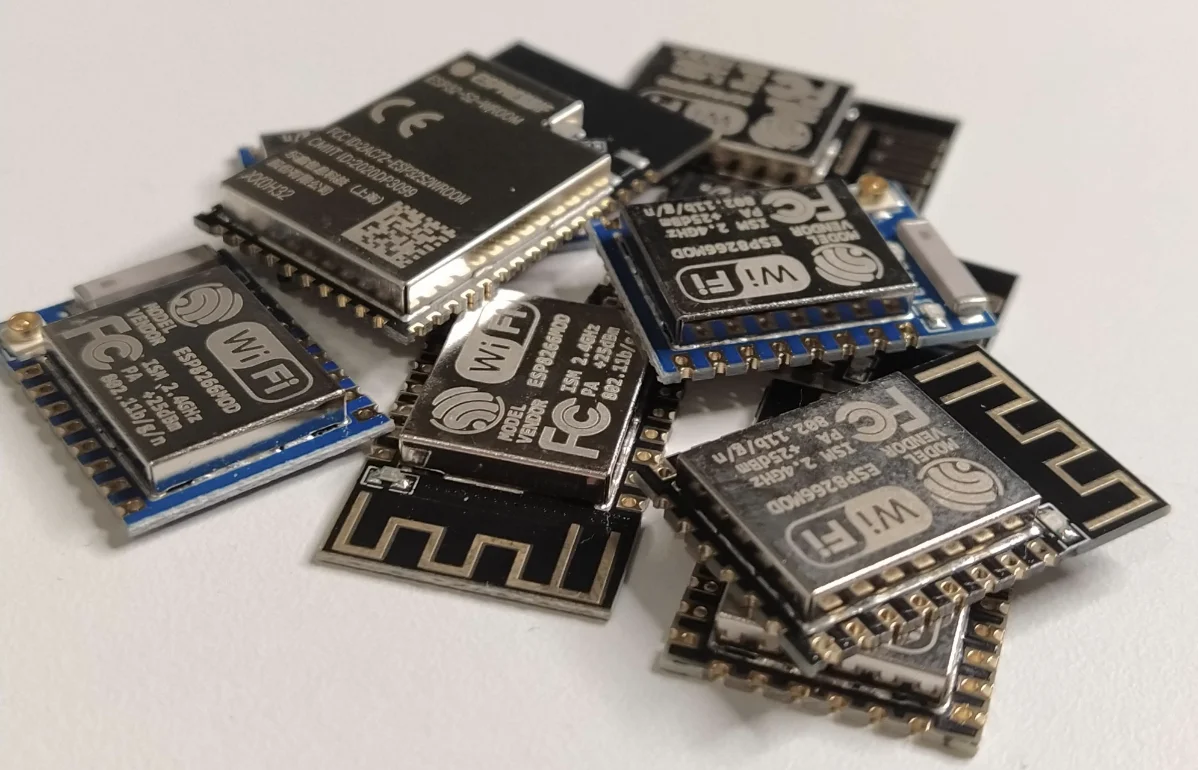
ESP32-C3是乐鑫公司开发了的一款低成本的MCU模块,它能满足常见的物联网产品功能需求,同时大幅度提升产品的安全性能。ESP32 C3模块的价格和ESP8266差不多,但性能确比ESP6266强。ESP32-C3模块的设计有以下几个特色,
-
部分GPIO支持RTC功能,可用于低功耗深度睡眠模式下的唤醒
-
可配置的模拟功能包括ADC(模数转换)用于读取模拟传感器数据
-
部分引脚支持触摸感应功能,可替代物理按键实现触摸交互
引脚图和原理图
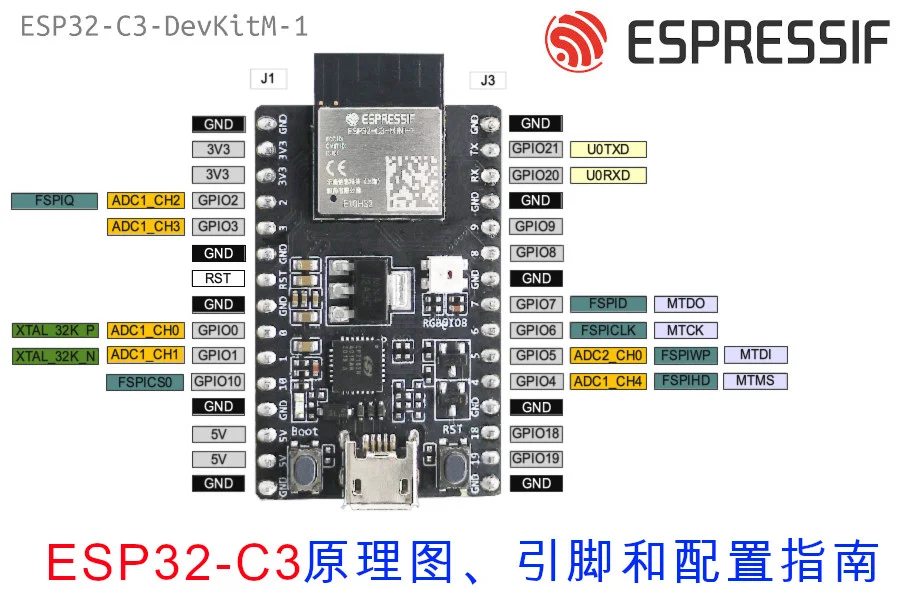
ESP32-C3-DevKitM的引脚布局
由于现在模块还比较新,因此价格还没下来,在乐鑫的官方淘宝上售价60元,还有15元的邮费,因此成本75元。
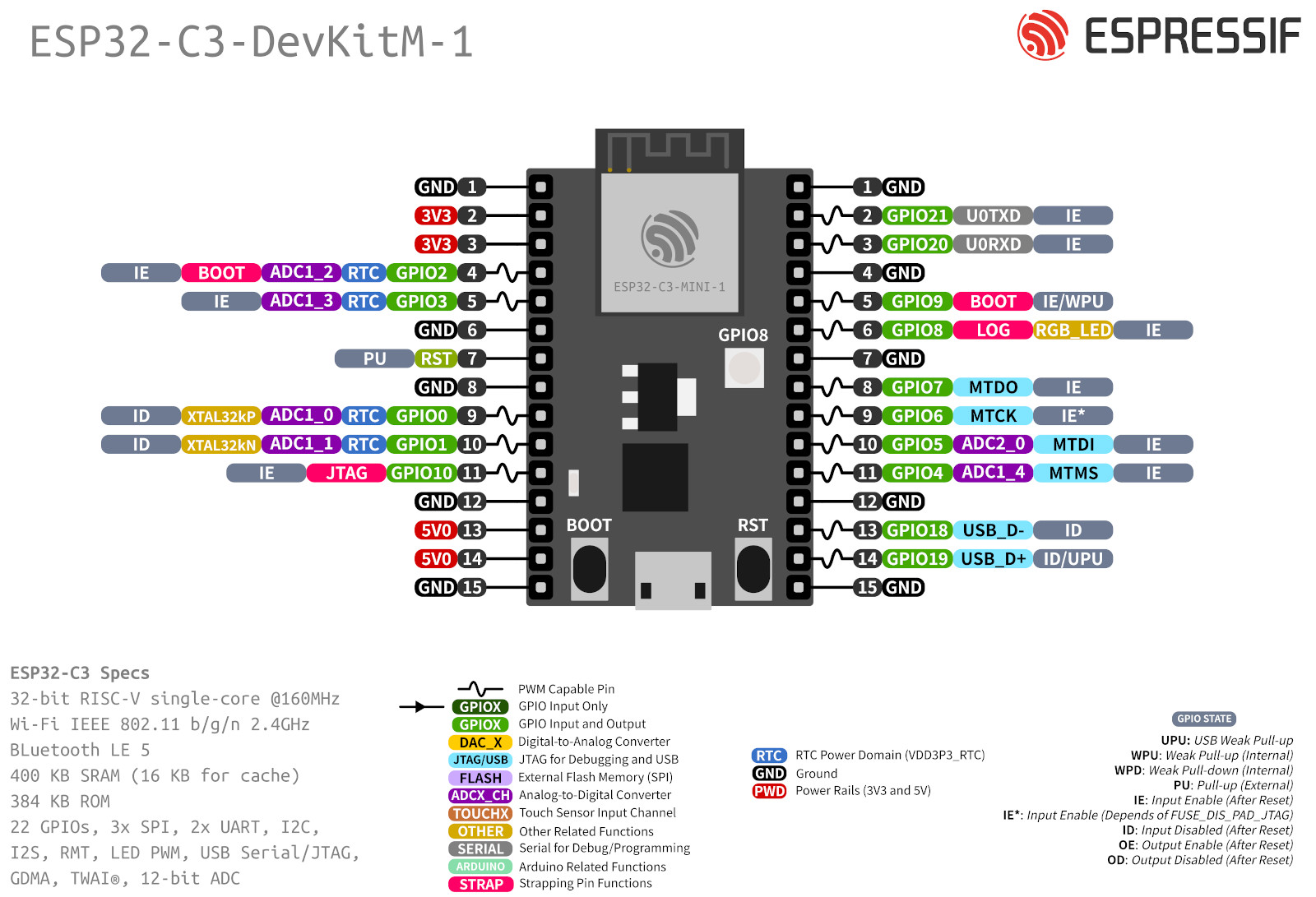 这里是开发板的原理图
引脚列表
.pow33v, .pow5v { border: 8px solid red!important; } .i2c { border: 8px solid #fc4cfc!important; } .i2s { border: 8px solid #63c9cb!important; } .uart { border: 8px solid gray!important; } .spi { border: 8px solid #343ffb!important; } .gnd { background-color: black!important; line-height: 19px; border: 8px solid yellow!important; color: #ffffff; } .pin { background-color: white; width: 35px; height: 35px; line-height: 17px; position: relative; border: 8px solid green; border-radius: 100%; text-align: center; margin: 0px auto; } .pow33v-bg, .pow5v-bg{ background-color: red !important; color: white !important; } .gnd-bg { background-color: black !important; color: white !important; } .i2c-bg { background-color: #fecdfe !important; } .i2s-bg { background-color: #d0e7f4 !important; } .spi-bg { background-color: #d0e7f4 !important; } .uart-bg { background-color: gray !important; color: white !important; } .i2s-bg { background-color: #d0f7fa !important; } .gpio-bg { background-color: #cefcce !important; } table#pinout { width:100%; text-align: center; } table img { height:250px; } @media only screen and (max-width: 600px) { table td,table th { padding: 0px; } .mobile { display:block; } table#pinout{ display:none; } } @media only screen and (min-width: 601px) { .mobile { display:none; } table#pinout{ display:block; } }
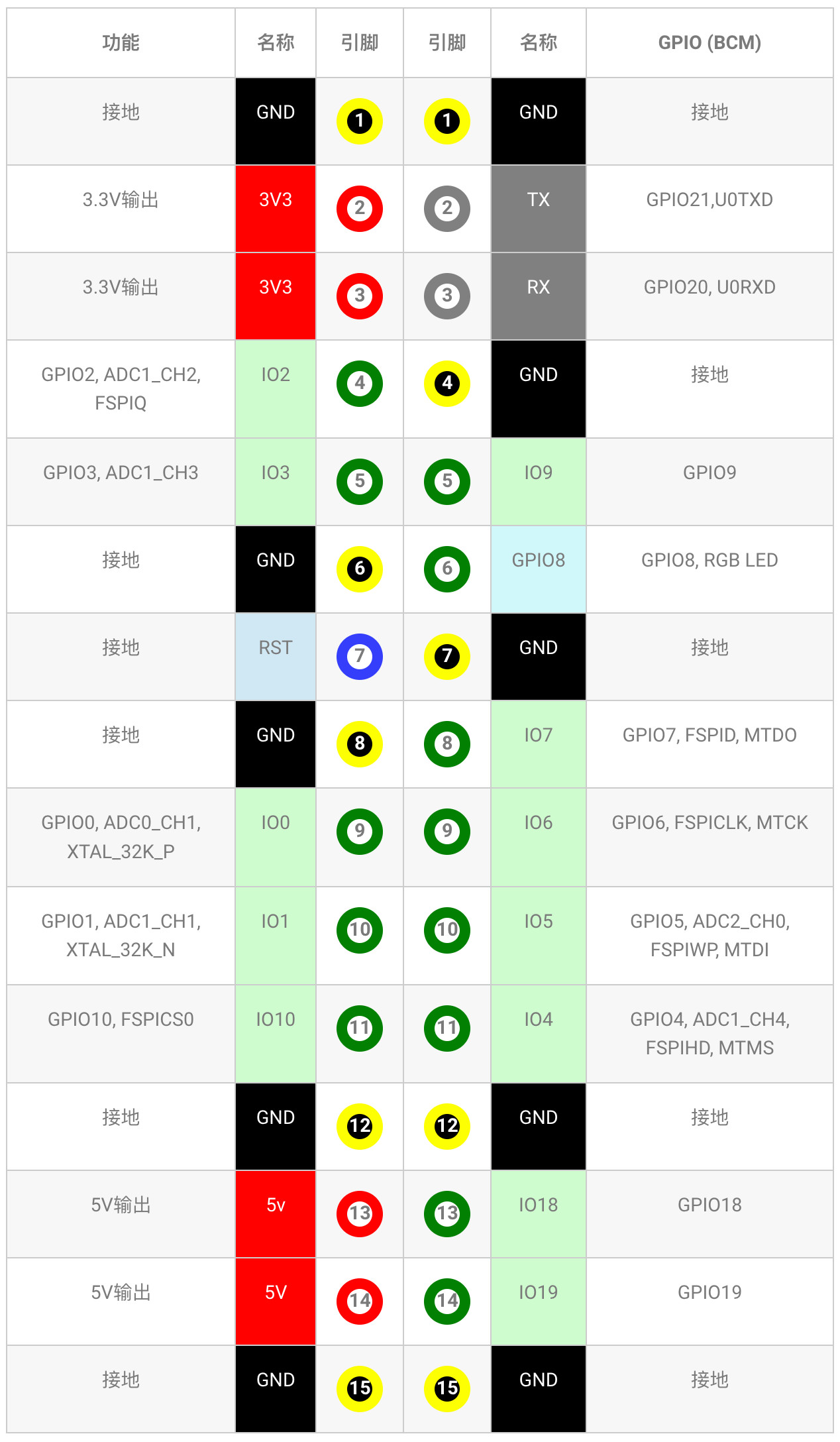
| 功能 | 名称 | 引脚 | 引脚 | 名称 | GPIO (BCM) |
|---|---|---|---|---|---|
| 接地 | GND | 1 | 1 | GND | 接地 |
| 3.3V输出 | 3V3 | 2 | 2 | TX | GPIO21,U0TXD |
| 3.3V输出 | 3V3 | 3 | 3 | RX | GPIO20, U0RXD |
| GPIO2, ADC1_CH2, FSPIQ | IO2 | 4 | 4 | GND | 接地 |
| GPIO3, ADC1_CH3 | IO3 | 5 | 5 | IO9 | GPIO9 |
| 接地 | GND | 6 | 6 | GPIO8 | GPIO8, RGB LED |
| 接地 | RST | 7 | 7 | GND | 接地 |
| 接地 | GND | 8 | 8 | IO7 | GPIO7, FSPID, MTDO |
| GPIO0, ADC0_CH1, XTAL_32K_P | IO0 | 9 | 9 | IO6 | GPIO6, FSPICLK, MTCK |
| GPIO1, ADC1_CH1, XTAL_32K_N | IO1 | 10 | 10 | IO5 | GPIO5, ADC2_CH0, FSPIWP, MTDI |
| GPIO10, FSPICS0 | IO10 | 11 | 11 | IO4 | GPIO4, ADC1_CH4, FSPIHD, MTMS |
| 接地 | GND | 12 | 12 | GND | 接地 |
| 5V输出 | 5v | 13 | 13 | IO18 | GPIO18 |
| 5V输出 | 5V | 14 | 14 | IO19 | GPIO19 |
| 接地 | GND | 15 | 15 | GND | 接地 |
上传代码
1. 驱动
由于ESP 32 C3使用的串口驱动是CH341,比较新,因此使用以前的ESP32并不通用,我们需要为它安装新的驱动程序。 Windows 驱动程序 Mac 驱动程序
2. 配置PlatformIO
我们用Platform IO比较多,所以先介绍PlatformIO的配置,PlatformIO需要修改platform和platform_packages才能正常使用。
platform = https://github.com/tasmota/platform-espressif32/releases/download/v2.0.3rc1/platform-espressif32-2.0.3.zip
board = esp32-c3-devkitm-1
framework = arduino
platform_packages =
framework-arduinoespressif32 @ https://github.com/espressif/arduino-esp32#master
board_build.f_flash = 80000000L
board_build.flash_mode = dio
monitor_speed = 115200
3. 配置Arduino
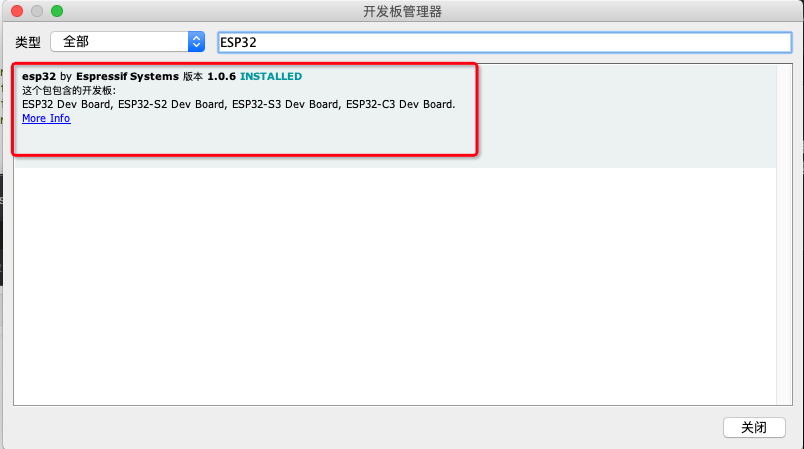
先在附加开发板管理器网址增加以下的网址,
https://raw.githubusercontent.com/espressif/arduino-esp32/gh-pages/package_esp32_dev_index.json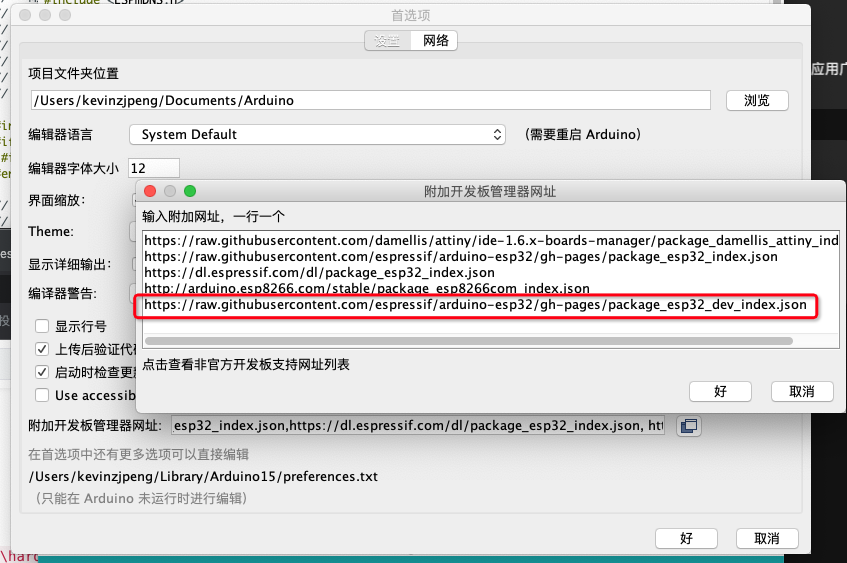 然后再搜索ESP32,即可找到支持C3的ESP32开发板,并安装。